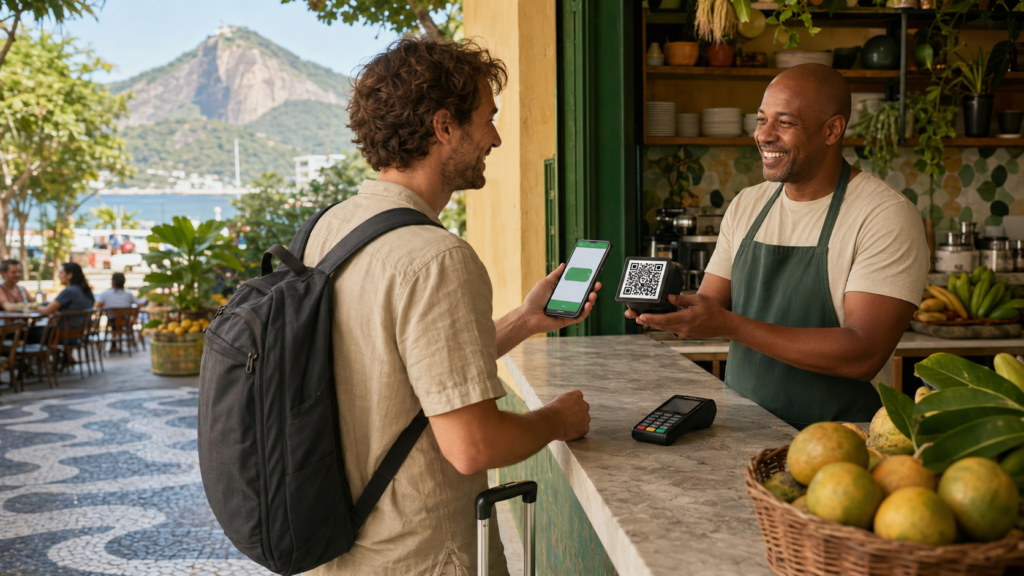

Pix in Brazil for tourists is possible, but foreign visitors do not access it in exactly the same way as Brazilian residents. Pix is not a standalone app that anyone can download. Instead, it operates inside participating bank accounts and payment wallets. Therefore, a tourist must either use an international wallet that connects to Brazil’s payment system or obtain access through an eligible Brazilian account.
Understanding that distinction can make a trip considerably easier. Brazilians use Pix to pay restaurants, supermarkets, hotels, tour guides, street vendors, taxis, landlords, friends and online stores. Moreover, some businesses offer lower prices for Pix because the payment reaches them quickly and may cost less to process than a card.
The Central Bank of Brazil created and manages Pix. It describes the system as an instant payment solution that transfers money between accounts in seconds, at any time or on any day. You can read the official explanation on the Central Bank of Brazil’s Pix portal.
Pix has also become deeply integrated into Brazilian life. According to the Central Bank, it represented almost half of Brazil’s non-cash payment transactions in 2024. By its fifth anniversary in November 2025, Pix had reached nearly 170 million users. The Central Bank publishes updated figures on its official Pix statistics page.
However, popularity does not mean that every international traveler automatically has access. This guide explains the legitimate options, the role of the CPF, how cross-border Pix services work, what fees to compare and which Brazilian Portuguese expressions you need when paying.
Quick Answer: Can a Foreign Tourist Use Pix in Brazil?
Yes, a foreign tourist can use Pix in Brazil when an eligible bank, wallet or international payment provider offers the necessary connection. Nevertheless, no universal “tourist mode” exists inside Pix.
A visitor generally has four possible routes:
| Payment route | Own Brazilian CPF needed? | Brazilian bank account needed? | Practical for a short trip? | Main limitation |
|---|---|---|---|---|
| International wallet with outbound Pix | Usually no | No | Yes | Availability, funding and fees vary |
| Home bank or wallet with a Pix integration | Usually no | No | Yes | Your existing app must support it |
| Transfer service that sends to a Pix key | Usually no Brazilian CPF for the sender | No | Sometimes | May work like a remittance rather than instant retail checkout |
| Brazilian transactional account with Pix | Usually required in practice | Yes | Often inconvenient | A CPF does not guarantee account approval |
| Trusted Brazilian pays for you | No | No | Only as a backup | You depend on another person |
For most short-term visitors, an international wallet that explicitly supports Brazilian Pix QR Codes offers the most convenient route. In contrast, frequent visitors, exchange students, temporary residents and people with financial ties to Brazil may benefit from obtaining a CPF and researching a Brazilian account.
Regardless of the route, keep an international card and a modest amount of Brazilian cash as backups. The Central Bank’s travel guidance confirms that international cards have broad acceptance in Brazil and can also work at compatible ATMs.
How Pix in Brazil for Tourists Actually Works
Pix is a payment system, not a separate app
Pix connects financial and payment institutions in Brazil. Consequently, users normally find a Pix button inside their bank or wallet app.
You cannot simply search an app store for an official consumer app called “Pix.” The Central Bank manages the payment arrangement and central infrastructure, but banks and payment institutions provide the customer-facing apps.
In practical terms, Pix is:
- A system for sending Brazilian reais between accounts
- Available 24 hours a day, including weekends and holidays
- Commonly settled within seconds
- Accessible through QR Codes, Pix keys and other approved payment flows
- Used for both person-to-person and person-to-business payments
On the other hand, Pix is not:
- A cryptocurrency
- A digital currency balance issued directly to tourists
- A credit or debit card
- A replacement for a bank or payment account
- A service that requires every user to register a Pix key
- Automatically international just because a foreign app can initiate a payment
The Central Bank’s Pix FAQ explains that anyone with an eligible checking, savings or prepaid payment account at a participating institution can use Pix.
What happens when a foreign wallet offers Pix
A cross-border wallet adds an extra layer to the payment. First, the wallet identifies the Brazilian recipient from the QR Code or Pix key. Next, it converts the tourist’s money into Brazilian reais. Finally, a Brazilian payment partner sends the local Pix transaction to the recipient.
Therefore, the merchant still receives reais through Brazil’s domestic payment system. The foreign provider handles identity verification, foreign exchange, funding and the international side of the transaction.
PagBrasil, for example, offers payment infrastructure that lets participating foreign banks and wallets connect their customers to Brazilian Pix recipients. Its published payment flow shows the foreign wallet reading the QR Code, displaying a converted price and arranging settlement to the merchant in reais. However, PagBrasil primarily supplies infrastructure to financial companies. A tourist can only use that infrastructure if their own bank or wallet has integrated it. More information appears on PagBrasil’s Pix for international travelers page.
Why a tourist may need Pix
International cards work at many formal businesses. Nevertheless, Pix becomes useful when:
- A small merchant does not accept foreign cards
- A tour guide or service provider requests a Pix transfer
- A restaurant or store offers a Pix discount
- An online checkout only provides Pix or boleto
- A landlord or host requests local payment
- A group wants to divide a restaurant bill
- A card issuer declines an otherwise legitimate Brazilian transaction
- The card charges foreign transaction fees
- A payment terminal has technical problems
Still, no tourist should rely on one payment method alone. Mobile data, account verification, provider limits or a damaged QR Code can interrupt a Pix payment.
The Best Pix Options for Foreign Tourists
Option 1: Use an international wallet that supports Pix QR Codes
This route usually provides the closest experience to paying like a Brazilian. The tourist completes identity verification, adds money through a supported funding method and then scans a merchant’s Pix QR Code.
Some providers market this functionality specifically to travelers. For example:
- WanderWallet states that foreign users can verify their identity with a passport, scan Pix QR Codes and pay Pix keys without obtaining a Brazilian CPF.
- Wallbit states that eligible foreign customers can fund an account and use its balance for Pix payments without a CPF.
- A bank or wallet connected through PagBrasil may place the Pix option directly inside the customer’s existing app.
These links document what the companies say about their own products. They do not guarantee availability in every country or for every customer. Therefore, check the following before depositing money:
- Whether the service accepts residents of your country
- Whether it supports your passport or national ID
- Whether it requires users to meet a minimum age
- Which funding methods you can use
- Whether it accepts both business and personal Pix recipients
- Whether it supports QR Codes, Pix keys and copy-and-paste codes
- How quickly it settles payments
- Which company holds the customer balance
- Which regulatory protections apply
- How refunds and account closure work
- What happens to unused money after the trip
- Whether customer support operates during Brazilian business hours
Travelers who do not meet an app’s minimum age must use a parent or guardian-approved payment method. Never enter a false date of birth or use another person’s identity.
Option 2: Use a home bank or wallet with tourist Pix integration
This method requires less setup because the traveler continues using a familiar app. However, the bank or wallet must offer Brazilian QR payments to its customers.
Before traveling, search your app for terms such as:
- Brazil payments
- Pix
- Local QR payment
- International QR
- Scan to pay
- Pay in BRL
- Latin America payments
Afterward, confirm the feature with the provider’s official support documentation. A generic QR scanner does not necessarily support Pix.
Some apps can read only merchant QR Codes. Others may also accept phone numbers, email addresses or random Pix keys. Moreover, payment limits can differ between person-to-business and person-to-person transactions.
Option 3: Send money to a Pix key through an international transfer service
A money-transfer service may let a foreign customer send reais to a Brazilian recipient’s Pix key. Although this can help with rent, deposits or payments to a known person, it does not always work like an instant checkout wallet.
Wise illustrates the distinction clearly. Its official documentation says customers can send money from BRL and non-BRL currencies to a Pix key. However, Wise limits QR Code Pix payments to accounts with a Brazilian address. As a result, a tourist with a foreign Wise address may be able to enter a recipient’s Pix key but may not be able to scan the merchant’s QR Code.
Furthermore, an international transfer can involve conversion or compliance processing before the recipient gets the money. Wise says that a BRL transfer may take up to a working day after conversion, depending on the transaction. Its BRL transfer guide also explains the recipient information and transfer limits.
Therefore, do not assume that every app mentioning Pix works for a coffee-shop checkout. Before placing an order, check the estimated delivery time shown for that specific transaction.
Option 4: Open a Brazilian account that offers Pix
Brazilian regulations allow non-residents to hold certain accounts. According to the Central Bank, a person living abroad can open an account at an institution authorized to operate in the foreign exchange market. However, the institution does not have to accept the application and can establish its own documentation, fees and risk criteria. The official position appears in the Central Bank’s non-resident account FAQ.
A financial institution may request some combination of:
- Passport or another accepted identification document
- CPF
- Proof of home address
- Tax-residence information
- Proof of income or source of funds
- Brazilian telephone number
- Selfie or live facial verification
- Information about the purpose of the account
- Additional documents for compliance review
Consequently, this path rarely makes sense for a one-week vacation. It may become worthwhile for someone who visits often, owns property, studies in Brazil, receives local payments or plans a longer stay.
Option 5: Ask a trusted Brazilian person to pay
A friend, relative or host can make a Pix payment from their account. You can then reimburse that person using an agreed method.
Although this solution can help in an isolated situation, it has limitations:
- The payment receipt will show the other person as the payer
- A refund may return to that person’s account
- You must agree on the exchange rate and reimbursement amount
- Disputes can become harder to document
- You depend on the person’s availability and account limits
For that reason, use this option only with someone you genuinely trust. Never give a stranger cash in exchange for a promised Pix payment.
How to Use Pix in Brazil Without a CPF
Prepare the wallet before leaving home
Complete account setup several days before the trip. Identity checks can fail when a passport photo looks unclear, a name differs between documents or an app requests additional information.
First, download the app only from its official website or verified app-store listing. Next, create the account using your legal name exactly as it appears on your passport. After that, complete the selfie and identification process.
Before adding a large balance, review:
- The exchange-rate calculation
- Fixed and percentage-based fees
- Minimum and maximum transaction amounts
- Daily and monthly limits
- Refund rules
- Withdrawal rules
- Account inactivity fees
- Support channels
- Supported Pix key types
- Supported QR Code types
- Processing times
In addition, enable biometric access, a strong password and any available two-factor authentication. Mobile data should also work immediately after arrival because Pix normally needs an internet connection.
Fund only what you expect to use
A wallet may charge a fee when you add money, convert it, withdraw it or return it to your home account. Therefore, avoid funding a large balance until you understand the full cost.
A practical approach involves:
- Completing verification before the trip
- Adding a small test amount through a permitted funding method
- Checking the displayed balance and currency
- Reviewing the withdrawal process
- Keeping the remaining travel budget in a separate account
- Adding more money only when needed
Nevertheless, do not wait until a merchant is standing in front of you to fund the account for the first time. A bank transfer or compliance review may delay access.
Ask whether the merchant accepts Pix
At the register, say:
Aceita Pix?
“Do you accept Pix?”
The merchant may answer:
- Sim, aceitamos. = Yes, we do.
- Sim, vou gerar o QR Code. = Yes, I will generate the QR Code.
- Só na chave. = Only through the Pix key.
- O Pix está fora do ar. = Pix is unavailable right now.
- Hoje só cartão ou dinheiro. = Today we only accept card or cash.
If the merchant accepts Pix, open the payment or scan section of your wallet.
Scan the Pix QR Code
Follow this sequence:
- Ask the merchant to display or print the QR Code.
- Open the wallet’s Pix or local payment section.
- Select the option to scan a QR Code.
- Point the camera at the entire code.
- Enter the amount if the code does not include it.
- Review the amount in Brazilian reais.
- Review the exchange rate and final cost in your currency.
- Confirm the recipient’s name.
- Confirm the institution or payment partner, when displayed.
- Authorize the transaction with your password or biometrics.
- Wait for a completed or successful status.
- Let the merchant confirm receipt in their own account.
Never confirm merely because the logo or merchant name appears near a printed QR Code. Stickers can cover legitimate codes. Instead, verify the recipient information that the payment app retrieves from the Pix system.
Pay a QR Code displayed on the same phone
An online store, messaging app or delivery service may show the QR Code on the same phone you use for payment. In that situation, a camera cannot scan the screen directly.
Ask for or select:
Pix Copia e Cola
“Pix Copy and Paste”
Then follow these steps:
- Copy the complete payment code.
- Return to the wallet.
- Choose Pix, Pay, Enter Code or Copy and Paste.
- Paste the code.
- Review the retrieved amount and recipient.
- Confirm the payment.
- Return to the merchant’s page and wait for confirmation.
Some wallets also let users upload a QR Code screenshot. Nevertheless, use the copy-and-paste code when possible because it avoids image-quality problems.
Pay with a Pix key
A merchant may provide a chave Pix, or Pix key, instead of a QR Code.
Ask:
Qual é a chave Pix?
“What is the Pix key?”
The answer may be:
- A CPF belonging to an individual
- A CNPJ belonging to a business
- A telephone number
- An email address
- A random alphanumeric key
Enter the key exactly. Afterward, compare the recipient’s name with the person or business you intend to pay.
Some small businesses legitimately receive money through the owner’s personal account. However, ask the merchant to confirm the name if it differs from the store’s public name.
Useful phrase:
Apareceu o nome de João da Silva. Está correto?
“The name João da Silva appeared. Is that correct?”
Enter the correct amount
A static QR Code may not include the purchase amount. Consequently, the wallet will ask you to type it.
Brazil uses a comma as the decimal separator. Therefore:
- R$ 5,50 means five reais and fifty centavos
- R$ 25,00 means twenty-five reais
- R$ 1.250,75 means one thousand two hundred fifty reais and seventy-five centavos
Check the decimal carefully. Paying R$ 550 instead of R$ 5,50 creates a serious problem, and the Special Return Mechanism does not cover a payment amount entered incorrectly by the user.
Ask:
O valor é vinte e cinco reais, certo?
“The amount is twenty-five reais, correct?”
Wait for final confirmation
A successful payment may show words such as:
- Concluído = Completed
- Pagamento realizado = Payment completed
- Pix enviado = Pix sent
- Transação aprovada = Transaction approved
- Sucesso = Success
Conversely, do not leave the checkout if the app shows:
- Processando = Processing
- Pendente = Pending
- Em análise = Under review
- Agendado = Scheduled
- Falha = Failure
- Cancelado = Cancelled
A scheduled Pix is not the same as an immediate payment. Likewise, a screenshot does not prove that the recipient received the money. Both customer and merchant should check the live transaction status inside their respective apps.
Show the receipt if requested
A merchant may say:
Pode mostrar o comprovante?
“Can you show the payment confirmation?”
Open the completed transaction and display the receipt. Usually, it contains:
- Amount
- Date and time
- Recipient
- Payer or payment provider
- Transaction identification
- Payment status
You can answer:
Claro. Aqui está o comprovante.
“Of course. Here is the payment confirmation.”
Nevertheless, the merchant should rely on the credit in their own app, especially for higher-value payments.
Does a Tourist Need a CPF to Use Pix?
What CPF means
CPF stands for Cadastro de Pessoas Físicas, Brazil’s individual taxpayer registry. Foreign residents and non-residents can obtain one.
A CPF is not:
- A bank account
- A Pix account
- Proof of Brazilian residence
- A payment card
- Automatic approval for a financial app
Therefore, obtaining a CPF only removes one possible registration barrier. A bank or wallet can still decline an application or request more documents.
The Brazilian Federal Revenue states that CPF records can include both Brazilian and foreign individuals, whether they live in Brazil or abroad. Its official CPF FAQ also confirms that a person receives only one CPF number.
How a foreigner can request a CPF before traveling
Foreign citizens living abroad should contact the Brazilian consulate responsible for their place of residence and use its e-consular process. The government’s CPF registration abroad page lists the general procedure.
Common documents include:
- Completed CPF registration form
- Identification document
- Birth or marriage certificate, depending on the information displayed in the identification document
- Any additional documents requested by the consulate
The official service does not charge a government fee. However, appointment availability and processing time can vary.
Because procedures can change, check the responsible consulate’s current instructions instead of relying on an old blog or social-media post.
How a traveler can request a CPF while in Brazil
Brazil’s Federal Revenue provides online, email and in-person channels, although the correct route can depend on the applicant’s circumstances. The official CPF registration service lists Receita Federal service points, participating entities and required documentation.
For foreigners in transit, the Federal Revenue accepts documents such as:
- Passport
- Eligible Mercosur identification document
- Brazilian migration document, when applicable
- Other travel documents accepted under relevant agreements
The Federal Revenue may also request a birth or marriage certificate when the primary identification document does not contain all necessary information. Although an automatic translation requirement does not apply in every case, officials may request apostille, consular legalization or a sworn translation when necessary.
Some participating service locations charge up to R$7, while direct government channels can be free. Nevertheless, check current instructions before visiting because not every location completes every type of foreign application.
Why a CPF still may not solve the problem
After receiving a CPF, the tourist must find a financial or payment institution willing to open an appropriate account. The institution controls its own customer-verification process, provided it follows Brazilian law and Central Bank rules.
As a result, a tourist may still encounter requests for:
- Proof of a Brazilian address
- A Brazilian mobile number
- Tax-residence declarations
- Local immigration documents
- Proof of income
- Source-of-funds documentation
For a short vacation, a no-CPF tourist wallet can require less effort. By contrast, a CPF may offer broader long-term value to frequent visitors or people who plan to build an ongoing connection with Brazil.
Never use another person’s CPF
Do not enter a friend’s CPF to create an account in your own name. Similarly, never buy a CPF number online or use a false Brazilian address.
Those actions can create identity, fraud and account-freezing problems. Instead, use a legitimate passport-based tourist service or follow the official CPF process.
Understanding Pix Keys, QR Codes and Copy-and-Paste Codes
The main Pix key types
A Pix key acts like a nickname for a recipient’s account. According to the Central Bank’s financial information guide, an individual can use a CPF, email address, mobile number or random key.
| Type | Portuguese name | What it looks like | What to check |
|---|---|---|---|
| Individual tax ID | CPF | Eleven digits | Recipient’s personal name |
| Business tax ID | CNPJ | Fourteen digits | Registered business name |
| Telephone | Celular or telefone | Country/area code and number | Recipient’s displayed name |
| Normal email address | Spelling and account holder | ||
| Random key | Chave aleatória | Long letters-and-numbers sequence | Copy it instead of typing |
| QR Code | QR Code do Pix | Square visual code | Amount, name and institution |
| Copy-and-paste | Pix Copia e Cola | Long encoded payment string | Paste the complete code |
A QR Code is technically a payment initiation mechanism rather than a personal identifier. Still, tourists mainly need to know that it carries the information required to build the payment.
Static and dynamic QR Codes
A static QR Code may remain valid for many payments. For example, a market stall may print one code and place it beside the register. Sometimes the customer must enter the price manually.
A dynamic QR Code, by contrast, normally belongs to one specific purchase. It may already contain the amount, order number and expiration data. Online stores and larger retailers frequently use dynamic codes.
Therefore, scan a fresh code whenever a merchant generates one for your order. If an online code expires, request a new one instead of repeatedly trying the old code.
Pix Copy and Paste
Pix Copia e Cola represents the QR Code data as text. It helps when:
- The QR Code appears on the same phone
- The camera cannot focus
- The room has poor lighting
- A merchant sends the payment through WhatsApp
- The printed QR Code has physical damage
- The wallet supports pasting but not image scanning
Copy the entire code. Missing even one character can make the payment fail or prevent the app from reading it.
You do not need your own Pix key to pay
A person with an eligible account can generally send Pix without registering a personal key. Keys mainly make receiving and identifying accounts easier.
However, tourist wallets may provide only outbound payments. Consequently, check whether your service can receive refunds or incoming Pix transfers before giving anyone an account identifier.
Pix Fees, Exchange Rates and Discounts
Why “Pix is free” can mislead tourists
Brazilian individuals generally send ordinary Pix transactions without a direct Pix fee from a local account. Nevertheless, a foreign tourist uses additional services.
A tourist wallet may charge for:
- Funding the account
- Currency conversion
- A spread added to the exchange rate
- Each Pix payment
- Withdrawing unused money
- Receiving a refund
- Using a foreign debit or credit card to fund the wallet
- Exceeding a transaction or monthly limit
Therefore, a free domestic Pix transaction does not guarantee a free cross-border payment.
Compare the complete cost
Before confirming, identify four numbers:
- The merchant’s price in reais
- The exchange rate
- The service or transaction fee
- The total cost in your home currency
For example, imagine that a merchant charges R$200. A wallet shows a total cost of US$39, including all fees. Your effective rate is:Effective BRL per USD=US$39R$200≈R$5.13
Next, compare that result with another available payment method. Do not compare only the advertised exchange rate because a fixed fee can change the final cost of a small purchase.
Watch for exchange-rate spreads
A provider may advertise “no transaction fee” while earning money through the currency conversion. Conversely, another service may show a small fee but use a stronger exchange rate.
For that reason, compare how much money leaves your account for the same Brazilian purchase. The final cost matters more than the label attached to each charge.
Pix discounts are legal
Brazilian businesses may offer different prices based on payment method. Federal Law 13,455/2017 allows price differences based on the payment instrument or payment term, provided the seller communicates the prices properly.
Useful questions include:
Tem desconto no Pix?
“Is there a discount for paying with Pix?”
Qual é o preço no Pix?
“What is the Pix price?”
O desconto já está aplicado?
“Has the discount already been applied?”
However, compare the discount with your wallet’s exchange and service costs. A 3% store discount may not save money if the provider charges more than 3% above your best card alternative.
Dynamic currency conversion affects cards, not normal Pix payments
A Brazilian card terminal may offer to charge a foreign card in the traveler’s home currency instead of Brazilian reais. This practice is called dynamic currency conversion, or DCC.
Visa explains that DCC includes the provider’s conversion rate and may add fees or a markup. Its guidance says merchants must show the rate and give cardholders a choice. See Visa’s explanation of dynamic currency conversion.
When using a foreign card, choosing Brazilian reais often avoids the merchant’s conversion markup. Nevertheless, check your card issuer’s own foreign transaction fee.
Ask:
Pode cobrar em reais, por favor?
“Could you charge me in Brazilian reais, please?”
Normal Pix payments already settle in reais. Therefore, DCC does not apply in the same way, although the tourist wallet still performs its own currency conversion.
Refunds may create an exchange-rate difference
Suppose a tourist pays R$500 when the exchange rate equals R$5 per dollar. The wallet charges approximately US$100 before fees. Later, the merchant refunds R$500, but the exchange rate has changed.
Depending on the provider, the traveler may receive:
- R$500 back into a BRL balance
- The current converted value in the home currency
- The original home-currency amount
- The refund minus a service fee
Consequently, review the provider’s refund policy before making a large or refundable purchase.
Pix Security for International Visitors
Check the recipient before confirming
The Central Bank’s Pix security guidance tells users to verify the beneficiary’s name before confirming a payment.
Review:
- Recipient’s name
- CPF or CNPJ information when displayed
- Receiving institution
- Amount
- Purpose or description
- Payment status
If the name looks unfamiliar, stop and ask the merchant. Do not confirm first and investigate later.
Be careful with replaced QR Codes
A criminal can place a sticker over a legitimate printed QR Code. Therefore, compare the retrieved recipient with the business or merchant.
At a restaurant, ask a staff member to confirm the recipient’s name. For an online order, generate the code from the official checkout page instead of scanning a code received from an unknown social-media account.
Do not trust fake payment instructions
A bank or payment provider should never ask you to:
- Share your password
- Reveal an SMS verification code
- Transfer money to “test” the account
- Install remote-access software
- Move money to a supposed secure account
- Send Pix to reverse an unauthorized transaction
The Brazilian Ministry of Finance advises consumers to contact institutions through official channels and warns that banks do not request passwords or tokens over the phone. See the government’s Pix fraud-prevention guidance.
Avoid duplicate payments
Sometimes a merchant says the payment did not arrive, even though the customer’s app shows success. Before paying again:
- Open the transaction history.
- Confirm whether the first payment says completed.
- Compare the recipient and amount.
- Ask the merchant to refresh their own account.
- Contact the wallet if the transaction remains uncertain.
Say:
No meu aplicativo aparece como concluído. Pode verificar novamente?
“My app shows it as completed. Could you check again?”
Do not rely only on an email notification or screenshot.
Understand Pix limits
Local institutions normally let customers set Pix limits. Moreover, the Central Bank establishes a standard night limit of R$1,000 for certain person-to-person transactions between 8 p.m. and 6 a.m., although eligible users can request adjustments. The official rules appear in the Central Bank’s Pix limits FAQ.
Cross-border wallets may apply different or stricter limits. Therefore, check the app before depending on Pix for a hotel, tour or other expensive purchase.
Pix does not provide a normal card chargeback
Pix settles quickly, and a completed payment does not offer the same dispute process as a credit-card purchase.
Brazil’s Mecanismo Especial de Devolução, or MED, can help in qualifying cases of fraud, scams, crime or operational failure. The payer generally has up to 80 days to report an eligible transaction. However, the Central Bank says MED does not cover:
- A commercial disagreement with a legitimate seller
- A payment sent to the wrong person
- An amount entered incorrectly by the payer
- A normal request to cancel a purchase
- Every case in which the buyer simply does not recognize the seller’s name
The current rules appear in the Central Bank’s MED implementation guide.
Furthermore, a tourist who uses an international intermediary may need to contact that provider rather than a Brazilian bank directly. Report suspected fraud immediately because recovery may depend on how much money remains in the receiving accounts.
What to do after a mistaken Pix
Contact the wallet and recipient immediately. Then, save:
- The full receipt
- Screenshots of the checkout
- The merchant’s contact information
- Messages about the purchase
- The order or invoice
- Date, time and amount
- Support case number
Ask the recipient:
Fiz o Pix para a chave errada. Você pode devolver, por favor?
“I sent the Pix to the wrong key. Could you return it, please?”
A recipient should use the app’s refund function connected to the original transaction. Avoid sending a new payment to an unrelated key as part of a supposed correction.
Protect the phone
A stolen or unlocked phone can expose payment apps. Therefore:
- Use a strong device passcode
- Enable biometrics
- Hide financial notification previews
- Activate remote location and device erasure
- Avoid saving passwords in unsecured notes
- Keep your provider’s emergency contact information elsewhere
- Log out of financial apps on shared devices
- Use mobile data or a trusted network for payments
- Set lower transaction limits when the app permits it
If the phone disappears, contact the wallet and mobile provider immediately.
What to Do When a Pix Payment Does Not Work
| Problem | Recommended response | Useful Portuguese |
|---|---|---|
| Camera cannot read the code | Ask for copy-and-paste code | Pode mandar o Pix Copia e Cola? |
| QR Code expired | Ask the merchant to generate another | Pode gerar um novo QR Code? |
| Code appears on the same phone | Copy the payment code or upload a screenshot if supported | Pode enviar o código? |
| Wrong recipient appears | Stop and confirm with the merchant | Esse nome está correto? |
| App shows insufficient funds | Fund the account or use a backup method | Vou pagar de outra forma. |
| Transaction is processing | Wait and check the live status | O pagamento ainda está processando. |
| Merchant says it did not arrive | Show live status and ask them to refresh | Pode verificar novamente? |
| Wallet reached its limit | Use a card or another approved method | Meu limite do Pix foi atingido. |
| No internet connection | Connect through mobile data or use a card/cash backup | Estou sem internet. Posso pagar no cartão? |
| Merchant does not accept Pix | Ask about card or cash | Aceita cartão ou dinheiro? |
| Payment failed | Check that the app did not debit the balance before retrying | A transação falhou. |
| Duplicate debit appears | Contact the provider and merchant | Parece que o pagamento foi duplicado. |
| Merchant needs proof | Open the completed receipt | Aqui está o comprovante. |
| You need a refund | Ask the merchant to refund the original transaction | Pode fazer o estorno, por favor? |
Do not repeatedly press the confirmation button during a network delay. Instead, open the transaction history and verify whether the wallet created a successful, failed or pending payment.
Essential Brazilian Portuguese Payment Vocabulary
Basic payment words
| Brazilian Portuguese | English | Practical note |
|---|---|---|
| pagamento | payment | General term |
| pagar | to pay | Quero pagar means “I want to pay” |
| Pix | Pix | Usually pronounced like “peeks” |
| chave Pix | Pix key | Recipient identifier |
| QR Code | QR Code | Brazilians normally use the English term |
| Pix Copia e Cola | Pix Copy and Paste | Encoded text version of a Pix QR Code |
| valor | amount or price | Qual é o valor? |
| preço | price | Used for products and services |
| reais | Brazilian reais | Plural of real |
| centavos | cents | One real equals 100 centavos |
| conta | bill or account | Meaning depends on context |
| saldo | balance | Money available in the account |
| taxa | fee | Could mean a service or transaction fee |
| desconto | discount | Often offered for Pix |
| comprovante | payment confirmation | Proof generated by the app |
| recibo | receipt | Proof provided by the seller |
| nota fiscal | tax receipt or invoice | Official sales document |
| reembolso | refund | General refund |
| estorno | reversal or refund | Common payment term |
| pendente | pending | Payment not yet complete |
| concluído | completed | Successful final status |
| aprovado | approved | Common card or payment status |
| recusado | declined | Transaction not accepted |
| dinheiro | cash | Physical money |
| troco | change | Money returned after a cash payment |
| cartão | card | Credit or debit card |
| crédito | credit | Credit-card function |
| débito | debit | Debit-card function |
| senha | PIN or password | At a terminal, usually the card PIN |
| aproximação | contactless | Payment by tapping |
| maquininha | card terminal | Common informal word |
| caixa | checkout or cashier | Can refer to person or location |
| parcelado | paid in installments | Common with Brazilian credit cards |
| à vista | paid in one payment | Opposite of installments |
Questions a cashier may ask
| Brazilian Portuguese | Natural English meaning | Possible answer |
|---|---|---|
| Vai pagar como? | How are you paying? | No Pix, por favor. |
| Pix, cartão ou dinheiro? | Pix, card or cash? | Pix. |
| Crédito ou débito? | Credit or debit? | Crédito, por favor. |
| Por aproximação? | Contactless? | Sim. |
| Vai digitar a senha? | Are you entering the PIN? | Sim. |
| Quer CPF na nota? | Do you want a CPF on the receipt? | Não, obrigado/obrigada. |
| Precisa do comprovante? | Do you need the receipt? | Sim, por favor. |
| Deseja a sua via? | Do you want your copy? | Sim. |
| O Pix já caiu? | Has the Pix arrived? | No meu aplicativo está concluído. |
| Quer dividir? | Do you want to split it? | Sim, em duas partes. |
| Com ou sem os dez por cento? | With or without the 10% service charge? | Com, por favor. or Sem, por favor. |
A male speaker can say obrigado, while a female speaker can say obrigada.
Handy phrases before paying
- Aceita Pix?
Do you accept Pix? - Posso pagar no Pix?
Can I pay by Pix? - Qual é a chave Pix?
What is the Pix key? - Pode gerar o QR Code?
Can you generate the QR Code? - Pode mostrar o QR Code de novo?
Can you show the QR Code again? - Pode mandar o Pix Copia e Cola?
Can you send the Pix Copy and Paste code? - Qual é o valor total?
What is the total amount? - O valor já inclui a taxa de serviço?
Does the amount already include the service charge? - Tem desconto no Pix?
Is there a Pix discount? - Vou pagar no Pix.
I am going to pay by Pix. - Um momento, por favor.
One moment, please.
Useful phrases while confirming
- Apareceu outro nome.
A different name appeared. - Esse é o nome correto?
Is this the correct name? - O valor está correto?
Is the amount correct? - Confirma que são cinquenta reais?
Can you confirm that it is fifty reais? - Meu aplicativo está mostrando uma taxa.
My app is showing a fee. - A conversão está em dólares.
The conversion is in dollars. - Vou confirmar agora.
I will confirm it now. - Pronto, o pagamento foi enviado.
Done, the payment has been sent.
Useful phrases after paying
- O pagamento foi concluído.
The payment was completed. - Já apareceu para você?
Has it appeared for you yet? - Aqui está o comprovante.
Here is the payment confirmation. - Pode me dar o recibo?
Can you give me the receipt? - Pode me enviar a nota fiscal?
Can you send me the tax receipt? - A transação ainda está pendente.
The transaction is still pending. - Acho que o pagamento foi duplicado.
I think the payment was duplicated. - O dinheiro saiu da minha conta.
The money left my account. - O valor voltou para o meu saldo.
The amount returned to my balance.
How Brazilians say amounts
| Written price | Brazilian Portuguese |
|---|---|
| R$1,00 | um real |
| R$2,00 | dois reais |
| R$5,50 | cinco reais e cinquenta centavos |
| R$10,90 | dez reais e noventa centavos |
| R$25,00 | vinte e cinco reais |
| R$49,99 | quarenta e nove reais e noventa e nove centavos |
| R$100,00 | cem reais |
| R$150,00 | cento e cinquenta reais |
| R$1.000,00 | mil reais |
| R$1.250,50 | mil duzentos e cinquenta reais e cinquenta centavos |
In casual speech, Brazilians may omit reais when the context makes the currency obvious. For instance, a cashier might say deu vinte e cinco e noventa, meaning the total came to R$25,90.
Understanding “CPF na nota”
A cashier may ask:
CPF na nota?
The question normally asks whether you want your CPF included on the Brazilian tax receipt. It does not mean that the store needs your CPF to accept an ordinary payment.
A tourist without a CPF can answer:
Não, obrigado.
“No, thank you.”
Some regulated purchases, reservations or high-value transactions may require identification for separate legal or commercial reasons. Nevertheless, the routine supermarket question usually concerns only the receipt.
Credit, debit and contactless payments
When Pix fails, say:
Vou pagar no cartão.
“I will pay by card.”
The cashier may ask:
Crédito ou débito?
Many foreign debit cards work through the credit function on Brazilian terminals because the international network processes the transaction differently. Therefore, follow your issuer’s guidance. If uncertain, try:
Crédito, por favor.
“Credit, please.”
For contactless payment, say:
É por aproximação.
“It is contactless.”
If the terminal requests a PIN:
Preciso digitar a senha?
“Do I need to enter the PIN?”
Restaurant language and service charges
At a restaurant, ask:
A conta, por favor.
“The bill, please.”
Other useful phrases include:
- Podemos dividir a conta?
Can we split the bill? - Cada pessoa vai pagar a sua parte.
Each person will pay their part. - Vou pagar metade no Pix.
I will pay half by Pix. - Pode cobrar cinquenta reais no meu Pix?
Can you charge fifty reais to my Pix? - Os dez por cento estão incluídos?
Is the 10% service charge included? - Pode tirar a taxa de serviço?
Can you remove the service charge?
Brazilian restaurants often suggest a service charge, commonly 10%. However, payment remains optional. Procon-SP’s current consumer guidance states that the establishment must disclose the amount and its optional nature. See the 2026 Procon-SP consumer report.
Real-Life Payment Dialogues in Brazilian Portuguese
Paying at a café with a QR Code
Customer: Aceita Pix?
Do you accept Pix?
Cashier: Sim. Vou gerar o QR Code.
Yes. I will generate the QR Code.
Customer: O valor é dezoito reais e cinquenta, certo?
The amount is eighteen reais and fifty centavos, correct?
Cashier: Isso mesmo.
That is correct.
Customer: Pronto. No meu aplicativo aparece como concluído.
Done. My app shows it as completed.
Cashier: Já caiu. Obrigado!
It has arrived. Thank you!
Paying from an online checkout on the same phone
Customer: Não consigo escanear porque o código está no meu celular. Pode mandar o Pix Copia e Cola?
I cannot scan it because the code is on my phone. Can you send the Pix Copy and Paste code?
Seller: Claro. Vou mandar pelo WhatsApp.
Of course. I will send it through WhatsApp.
Customer: Apareceu o nome de Maria Oliveira. Está correto?
The name Maria Oliveira appeared. Is that correct?
Seller: Sim, essa é a titular da conta.
Yes, she is the account holder.
Customer: Perfeito. Vou confirmar.
Perfect. I will confirm it.
Asking about a Pix discount
Customer: Tem desconto no Pix?
Is there a discount for Pix?
Seller: Sim, no Pix fica cento e vinte reais.
Yes, with Pix it is 120 reais.
Customer: E no cartão?
And by card?
Seller: No cartão fica cento e vinte e cinco.
By card it is 125.
Customer: Então vou pagar no Pix.
Then I will pay by Pix.
Splitting a restaurant bill
Customer: Podemos dividir a conta em três partes?
Can we split the bill into three parts?
Server: Sim. Cada pessoa vai pagar como?
Yes. How will each person pay?
Customer: Eu vou pagar no Pix e eles vão pagar no cartão.
I will pay by Pix, and they will pay by card.
Server: Com os dez por cento?
With the 10% service charge?
Customer: Sim, por favor.
Yes, please.
Switching to a card after Pix fails
Customer: Meu aplicativo não está lendo o QR Code.
My app is not reading the QR Code.
Cashier: Quer tentar a chave Pix?
Do you want to try the Pix key?
Customer: Estou sem internet. Posso pagar no cartão?
I do not have internet. Can I pay by card?
Cashier: Claro. Crédito ou débito?
Of course. Credit or debit?
Customer: Crédito, por favor, e pode cobrar em reais.
Credit, please, and you can charge it in reais.
Requesting a refund
Customer: A cobrança foi feita duas vezes. Pode verificar?
The charge went through twice. Can you check?
Merchant: Sim, realmente recebemos dois pagamentos.
Yes, we actually received two payments.
Customer: Pode devolver um deles pelo próprio Pix?
Can you refund one of them through the original Pix?
Merchant: Claro. Vou fazer a devolução agora.
Of course. I will issue the refund now.
Pix Compared with Cards, Cash and International Transfers
| Method | Best use | Speed | Main advantages | Main disadvantages |
|---|---|---|---|---|
| Tourist Pix wallet | Everyday local payments | Usually seconds | Broad local reach, clear confirmation, possible discounts | Setup, FX fees and provider limits |
| Brazilian account with Pix | Frequent or long-term use | Seconds | Full local experience and features | CPF and account onboarding |
| International card | Hotels, stores, rentals and backup | Immediate | Familiar, possible purchase protections | Declines, issuer fees and DCC |
| Cash | Emergencies and places without connectivity | Immediate | Works without phone or internet | Theft risk, change and ATM costs |
| International transfer to Pix key | Rent or known recipients | Varies | No Brazilian bank account for sender | May not suit point-of-sale checkout |
| Friend pays by Pix | One-time emergency | Seconds | Quick when someone trusted can help | Refund and trust complications |
When a card may be better
Use a credit card when:
- A hotel needs a security deposit
- A car-rental company requires a card
- You want card purchase protections
- The seller has a clear cancellation policy
- The tourist wallet charges an unfavorable exchange rate
- Pix is unavailable
- You lack mobile data
A Pix payment normally sends money outright. In contrast, a hotel or rental company may need to place a temporary card authorization rather than collect the full amount.
When cash may be better
Cash remains useful when:
- Mobile coverage is unreliable
- A small vendor does not have a working QR Code
- Your wallet blocks a transaction
- The phone battery dies
- The merchant requests a very small amount
- An emergency prevents access to your accounts
However, carry only a reasonable backup amount. The Central Bank recommends using authorized institutions for foreign exchange and provides a currency conversion tool for reference.
When an international transfer may be better
A transfer service may make more sense for:
- A rental payment arranged before arrival
- A trusted guide or service provider
- A larger deposit with a written agreement
- A Brazilian relative
- A scheduled payment that does not need immediate checkout confirmation
Before sending, confirm the recipient’s legal name, Pix key, payment purpose and refund terms in writing.
A Practical Payment Plan for a Trip to Brazil
One week before departure
- Check whether your existing bank or wallet offers Pix in Brazil
- Compare at least two payment methods
- Complete all identity verification
- Confirm the provider accepts residents of your country
- Review age and account-eligibility requirements
- Check QR Code and Pix key support
- Understand funding and withdrawal fees
- Activate biometric security
- Arrange international mobile data or an eSIM
- Tell your card issuer about the trip if required
- Save official support numbers
- Carry a physical backup card
- Learn the essential Portuguese phrases
After arriving in Brazil
- Confirm that mobile data works
- Check the wallet balance and limits
- Keep the app updated
- Make a small legitimate payment before depending on the wallet for a large purchase
- Withdraw or exchange only a modest emergency cash amount
- Avoid displaying large balances in public
- Store the passport securely after completing necessary verification
Before every Pix payment
- Confirm the total in reais
- Ask whether a Pix discount applies
- Scan a fresh code
- Check the recipient’s name
- Review the exchange rate
- Review every fee
- Confirm the amount
- Authorize only once
- Wait for the completed status
- Save the receipt for important purchases
Before leaving Brazil
- Check for pending refunds
- Download important receipts
- Withdraw or convert unused wallet funds according to the provider’s rules
- Remove unnecessary saved recipients
- Review account closure or inactivity conditions
- Keep records for hotels, rentals and expensive purchases
- Confirm that no scheduled payment remains active
Frequently Asked Questions About Pix for Tourists
Can every foreign tourist use Pix?
No. A tourist needs an eligible bank, wallet or payment provider. Service availability depends on country of residence, identity verification, age, funding method and the provider’s compliance rules.
Can I download an official Pix app?
No. The Central Bank manages Pix, but banks and payment institutions put Pix inside their own apps.
Can I use Pix without a CPF?
Yes, when an international wallet or bank supports passport-based tourist payments. However, a normal Brazilian account may request a CPF and additional local documentation.
Does a CPF automatically give me Pix?
No. A CPF is an identification number. You still need an eligible account at a participating institution.
Can I use my American, Canadian or European bank account directly?
Only if that bank or its payment partner has implemented Brazilian Pix payments. A normal international bank account does not automatically connect to Pix.
Can Wise scan Pix QR Codes for a foreign-address account?
Wise’s current documentation says only accounts with a Brazilian address can send through a Pix QR Code. Nevertheless, foreign-address accounts may have the option to send from a supported currency to a recipient’s Pix key. Check the estimated delivery time before using that route for a purchase.
Is Pix always free?
No. Domestic Pix may be free for a Brazilian individual, while an international provider can charge exchange, funding, withdrawal or service fees.
Is Pix cheaper than an international card?
Sometimes. The answer depends on the Pix discount, the wallet’s effective exchange rate and the card issuer’s fees. Compare the total cost for the same purchase.
Do I need a Brazilian telephone number?
Not always. Passport-based international wallets may accept a foreign number. In contrast, some Brazilian accounts and local apps request a Brazilian number.
Can I pay any Pix QR Code?
Not necessarily. A provider may limit payments by recipient type, amount, QR format or business category. Test the feature and read its current rules.
Can I use Pix offline?
Travelers should assume that Pix requires internet access. Although the Central Bank continues developing new payment features, ordinary tourist payments usually need a working data connection.
Can I receive Pix as a tourist?
Some wallets provide only outbound payments. Therefore, check whether the provider gives you a Brazilian receiving account or Pix key before asking someone to send money.
Can I withdraw cash using Pix?
Brazil offers optional services called Pix Saque and Pix Troco, which allow eligible users to obtain cash at participating locations. However, not every tourist wallet supports them. The Central Bank confirms that these services remain optional for businesses and institutions on its Pix business information page.
Can a merchant refund a Pix?
Yes. A legitimate recipient can use the original transaction’s refund function. Nevertheless, the exchange-rate treatment depends on the tourist’s wallet.
Can I cancel a Pix after confirming it?
Usually not. If the payment went to the correct legitimate recipient, ask that recipient for a refund. MED does not act as a general cancellation or chargeback service.
What happens if I send Pix to the wrong person?
Contact the provider and recipient immediately. However, the Central Bank states that MED does not cover a payment sent incorrectly by the payer.
Is a screenshot proof of payment?
No. Screenshots can be edited, and a scheduled or pending transfer may not settle. The merchant should check the actual credit inside their account.
Can I pay in installments with Pix?
Some financial institutions offer Pix-related credit or installment products. However, installments create a separate credit obligation and require provider approval. A tourist should not assume eligibility or treat “Pix Parcelado” as a standard feature of every wallet.
Can I use Pix for a hotel or rental-car deposit?
The business may accept Pix for the final bill. Nevertheless, many hotels and rental companies require a credit card for a temporary security authorization. Pix cannot always replace that function.
What does “CPF na nota?” mean?
The cashier is asking whether you want a CPF recorded on the tax receipt. A tourist without a CPF can normally answer Não, obrigado or Não, obrigada during an ordinary retail purchase.
How do I pronounce Pix?
Pix sounds approximately like the English word “peeks,” with a short, crisp vowel.
What should I say if the payment is taking too long?
Say:
O pagamento ainda está processando. Vamos esperar um momento.
“The payment is still processing. Let’s wait a moment.”
What should I say if the recipient name is different?
Say:
Apareceu outro nome no aplicativo. Você pode confirmar antes de eu pagar?
“A different name appeared in the app. Can you confirm it before I pay?”
Official Resources to Bookmark
- Central Bank of Brazil: Pix overview
- Central Bank of Brazil: Pix FAQ
- Central Bank of Brazil: Updated Pix statistics
- Central Bank of Brazil: Pix participants
- Central Bank of Brazil: Pix security
- Central Bank of Brazil: Special Return Mechanism
- Brazilian Federal Revenue: CPF questions and answers
- Brazilian government: CPF registration
- Brazilian government: CPF registration from abroad
- Central Bank of Brazil: Information for travelers
- Visa: Dynamic currency conversion
- Procon-SP: Consumer guidance for tourists
Final Advice for Paying with Pix in Brazil
Pix in Brazil for tourists can make everyday travel smoother, especially when small merchants, service providers or online checkouts prefer local instant payments. However, visitors must choose the correct access route.
For a short vacation, start by checking whether a reputable international wallet supports passport verification, Pix QR Codes and Pix keys for residents of your country. Meanwhile, keep a no-foreign-transaction-fee card and some reais available as backups.
Frequent visitors can consider obtaining a CPF and researching non-resident accounts. Nevertheless, remember that a CPF alone neither creates a Pix account nor guarantees acceptance by a Brazilian institution.
Finally, treat every Pix as a direct money transfer. Confirm the recipient, amount, exchange rate and fees before authorizing it. With a secure app, reliable mobile data and a few practical Portuguese expressions, a foreign traveler can pay more confidently and understand how Brazilians handle money in daily life.